topi Hosted Checkout
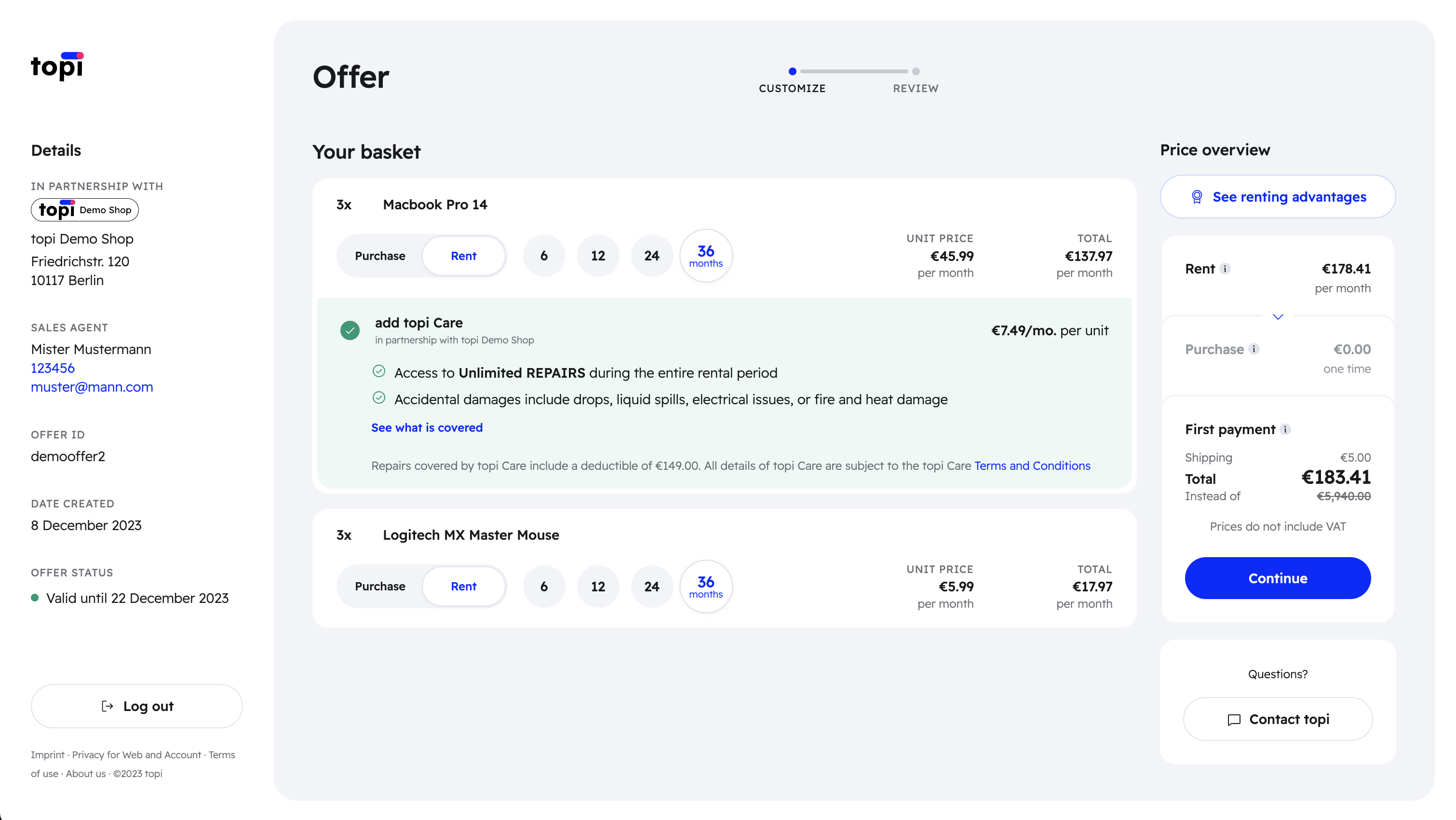
The topi Hosted Checkout lets customers:
- Review cart contents
- Customize rental tenure (e.g., 12, 24 months)
- Select service add-ons, such as topi Care and topi Care+
- Add payment methods
- Review topi's terms and conditions
- Confirm their order
Customization options per product
Customers choose the rent tenure individually for each offer line in their cart. For instance, if a cart contains 2x MacBook Pro and 2x MacBook Air, customers can select different tenures:
- 2x MacBook Pro for 12 months
- 2x MacBook Air for 24 months
Alternatively, they can choose uniform tenures for all items:
- 2x MacBook Pro for 24 months
- 2x MacBook Air for 24 months
topi does not currently support customization of rent tenures per stock-keeping unit (SKU). Customers cannot do the following:
- 1st MacBook Pro for 12 months
- 2nd MacBook Pro for 24 months
For now, customers would have to do two separate checkouts to achieve this. The same logic applies to add-on services offered by topi, like topi Care.
Frequently Asked Questions (FAQs)
Does topi support all products from our catalog?
No. topi supports a wide range of products, but not every item in your catalog is compatible. An unsupported product cannot be checked out with topi, so it won't appear in the topi Hosted Checkout. Offer creation will fail (more on that in the Integration Guide > Creating an offer). Remove the unsupported items and recreate the offer.
Will all rentable products come with 6, 12, 24, and 36 months tenure options?
No. Tenure options vary by product. Some items offer only 12 and 24-month tenures, while others have 12, 24, and 36-month options.
The topi Hosted Checkout always presents the current list of available tenure options for each product. These options can change over time, so rely on the hosted checkout for the tenure choices available for each product.