Listing Rental Summary Label
The Listing Rental Summary Label renders the recommended monthly rental price for a single product. It is designed for any page that shows multiple products at once - a product listing page (PLP), a category or search results page, a "related products" section, or a carousel.
Showing many products means the usage has two parts:
- You place one element per product, each tagged with that product's
reference. - You pass the full list of products shown on the page in a single
topi.listingItemscall.
General usage
Place one element on each product, passing that product's reference:
<!-- Product A -->
<x-topi-listing-rental-summary-label
  reference="muster1"
></x-topi-listing-rental-summary-label>

<!-- Product B -->
<x-topi-listing-rental-summary-label
  reference="muster2"
></x-topi-listing-rental-summary-label>
And tell topi Elements about all the products on the page in one go using JavaScript:
topi.listingItems = [
  {
    price: {
      currency: "EUR",
      gross: 119000,
      net: 100000,
      taxRate: 1900,
    },
    quantity: 1,
    sellerProductReference: {
      reference: "muster1",
      source: "SAP",
    },
  },
  {
    price: {
      currency: "EUR",
      gross: 89900,
      net: 75546,
      taxRate: 1900,
    },
    quantity: 1,
    sellerProductReference: {
      reference: "muster2",
      source: "SAP",
    },
  },
];
How each label finds its product
You pass every product on the page at once, but each element only shows the price for one of them. The reference attribute is what links an element to the right product:
- You set
topi.listingItemswith every product on the page. topi Elements makes a single request for all of their recommended rental prices. - Each
<x-topi-listing-rental-summary-label reference="...">looks through the results for the product whosesellerProductReference.referenceequals its ownreferenceattribute. - It renders that product's recommended price. If nothing matches (or that product has no rental terms), the element renders nothing.
In the example above, the first label (reference="muster1") renders the price for the muster1 item, and the second (reference="muster2") renders the price for the muster2 item, all from that one topi.listingItems list.
An element's reference must exactly match the reference of an item you passed to topi.listingItems. A common cause of a blank element is a mismatch, e.g. a typo, or a product whose card was rendered but never added to topi.listingItems.
Make sure each item in topi.listingItems also carries the correct source, so topi can find the product in your catalog.
Placements
This element is designed for any page that lists multiple products at once - for example a product listing page (PLP), a category or search results page, a "related products" section, or a carousel.
Place one element on each product, with its reference set to that product's sellerProductReference.reference. If a product has no rental terms, or its reference is not present in topi.listingItems, the element renders nothing, so it is safe to place on every product.
Unlike the Product Rental Summary Label, this element is quantity-agnostic: it always shows the recommended "from" price for a single product, which is what customers expect when browsing a list.
What happens when "Learn more" is clicked?
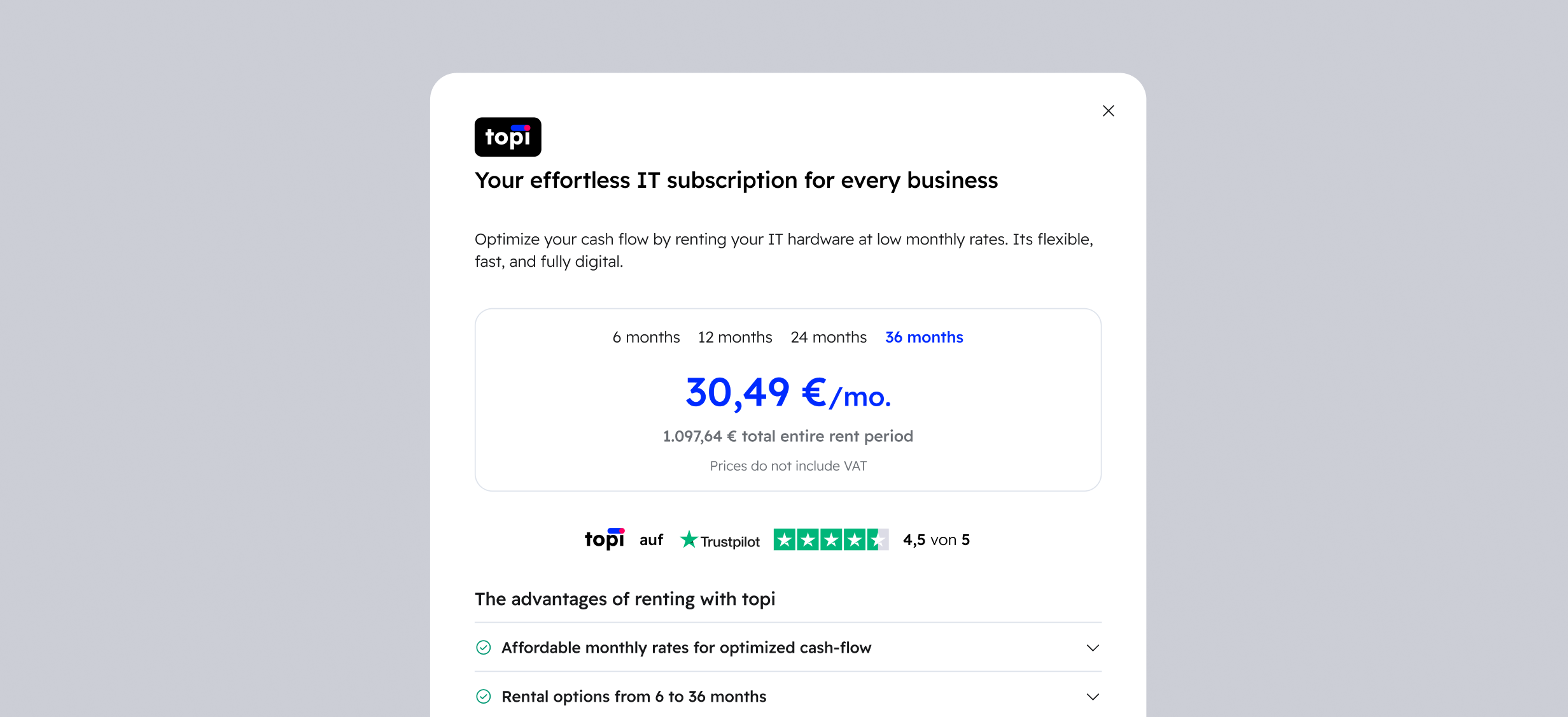
Clicking on the "Learn more" link (which is semantically a button) will open a modal that provides the customer with more information about topi. The modal looks like this:
Options
reference (required)
The reference is used to find the matching product in topi.listingItems and render its recommended price. It must match the sellerProductReference.reference of one of the items you passed.
If the reference is missing, or no item with that reference was passed to topi.listingItems, the element renders nothing.